 August 28, 2025
How to Set Up Your MaxxSouth Broadband Internet in Minutes
In today’s fast-paced world, nobody wants to wait days just to get their internet up and running. Whether it’s for work, school, or entertainment, a quick and reliable setup is essential. That’s where MaxxSouth Broadband shines. Known for its dependable service and easy installation process, MaxxSouth makes it simple to get connected without the hassle.
Why Choose MaxxSouth Broadband?
MaxxSouth isn’t just another internet provider—it’s a service designed with convenience and performance in mind. With wide coverage, competitive pricing, and customizable options, it’s a strong contender for households and businesses alike. By exploring MaxxSouth Broadband internet, you’ll find flexible plans that cater to different needs, from casual browsing to heavy streaming.
Getting Started with MaxxSouth Broadband
Before setting up, you’ll want to review the available internet provider options to choose the right plan. If your household has multiple gamers, remote workers, or binge-watchers, a higher-speed package might be worth the investment.
Pre-Setup Checklist
To avoid unnecessary delays, gather your essentials:
- Modem and router (provided by MaxxSouth or your own)
- Power cables and coaxial/ethernet cables
- A computer or smartphone for activation
Also, ensure your home is ready—locate a central spot for your router to maximize coverage.
Self-Installation vs. Professional Setup
MaxxSouth gives you the option to set up your internet yourself. Self-installation is faster, often taking less than 30 minutes. However, if you’re uncomfortable with tech setups or your home wiring is complex, professional installation may be a better option.
Step-by-Step: Self-Installation Guide
Step 1: Unbox Your Equipment
Carefully unpack your modem, router, and cables.
Step 2: Connect the Modem and Router
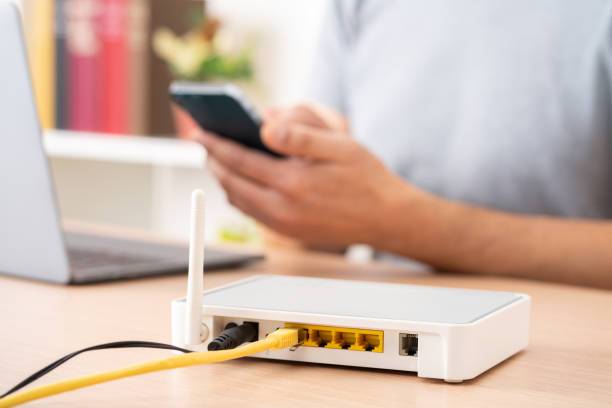
Plug your modem into the coaxial outlet and power it up. Connect the router to the modem using an ethernet cable.
Step 3: Activate Your MaxxSouth Service
Open a browser on your computer or phone, and follow the activation instructions provided.
Step 4: Configure Your Wi-Fi Network
Set up your Wi-Fi name (SSID) and a secure password. This ensures your connection is safe and personalized.
Troubleshooting Common Setup Issues
- Slow speeds: Restart your modem or check for background downloads.
- Connection drops: Relocate your router away from thick walls or electronics.
- Modem not activating: Double-check cable connections and try the activation portal again.
Maximizing Your MaxxSouth Internet Experience
For the best results, place your router in a central, elevated location. Use dual-band Wi-Fi to manage multiple devices, and take advantage of security settings for parental controls.
Affordable Internet Options
MaxxSouth offers flexible pricing to meet different budgets. If you’re looking for ways to save, explore their affordable internet plans for cost-effective solutions without compromising performance.
Comparing Plans with Other Providers
Wondering how MaxxSouth stacks up? A quick look at the best internet plans shows that MaxxSouth delivers strong value, especially when balancing speed, reliability, and affordability.
Why Speed Matters for Today’s Needs
From Zoom calls to HD Netflix streaming, internet speed can make or break your online experience. With MaxxSouth’s high-speed options, lag and buffering become a thing of the past.
MaxxSouth Broadband for Families
Modern families juggle remote learning, work-from-home tasks, gaming, and video streaming—all under one roof. MaxxSouth ensures everyone can stay connected without constant slowdowns.
Support and Customer Service
Need help? MaxxSouth offers reliable customer service. Whether you need setup assistance or troubleshooting, their team is just a call away.
Tips to Save Money While Staying Connected
- Bundle internet with TV or phone for extra savings.
- Look for seasonal deals to lower your monthly bill.
- Use equipment provided by MaxxSouth to avoid extra costs.
Conclusion
Getting your MaxxSouth Broadband internet set up doesn’t need to be stressful. With easy-to-follow steps, affordable plans, and reliable service, you can be connected in minutes and enjoy a smooth online experience from day one.